
You bring your playlist, it plays it.
Yagi does not provide channels, movies or series. It hosts nothing and indexes nothing.
It's a player, like VLC. It plays the playlist you give it — an M3U file or an Xtream account you already have — and ships with none.
Without your own playlist, Yagi is of no use to you. If you came here looking for somewhere to watch channels, this isn't it.
Download
There's no public release yet. Yagi is finished and in daily use, but before the first file goes out I want the backup of the key that signs updates properly sorted. If that key is lost once people have the app installed, those people stop getting updates and there's no way to reach them.
I'd rather ship it late than ship it and not be able to update it.
It'll be for macOS 15 or later, Intel and Apple Silicon. Free, complete, no ads, no account.
Yagi is not signed with an Apple certificate. That certificate costs €99 a year and Yagi is free, so the first time you open it macOS will ask you to confirm. It's one click, once, and here's how.
→ Opening Yagi for the first time Four steps, one minute. Including the detail about the “Open Anyway” button, which only shows up for a while after you try to open the app, and is where everybody gets stuck.Where it runs
Yagi is a macOS application. It's the only thing that exists today, and if you got here from another system there's nothing here for you to download.
- macOS Available. macOS 15 or later. Intel and Apple Silicon.
- Android TV On the way. No download and no date yet.
What it does
Several playlists at once, not one at a time
No “profiles” to switch between. All your playlists are live at the same time, and search and favourites cut across all of them.
When the same channel shows up in two playlists it appears once, and the other one becomes a fallback: if one fails, it tries the next without you doing anything.
Genuinely large catalogues
Built for playlists that don't fit on a screen. The one it's developed against has 50,049 channels, which the app groups into 58,008 items counting movies and series, with 444 channels available in several qualities.
None of it is loaded into memory: it's read from the database a page at a time, as you scroll.
Search that answers while you type
A full-text index over the whole catalogue, across every playlist. Accent- and case-insensitive: “peliculas” finds “Películas”.
Design target, covered by a test: under 100 ms over 100,000 items.
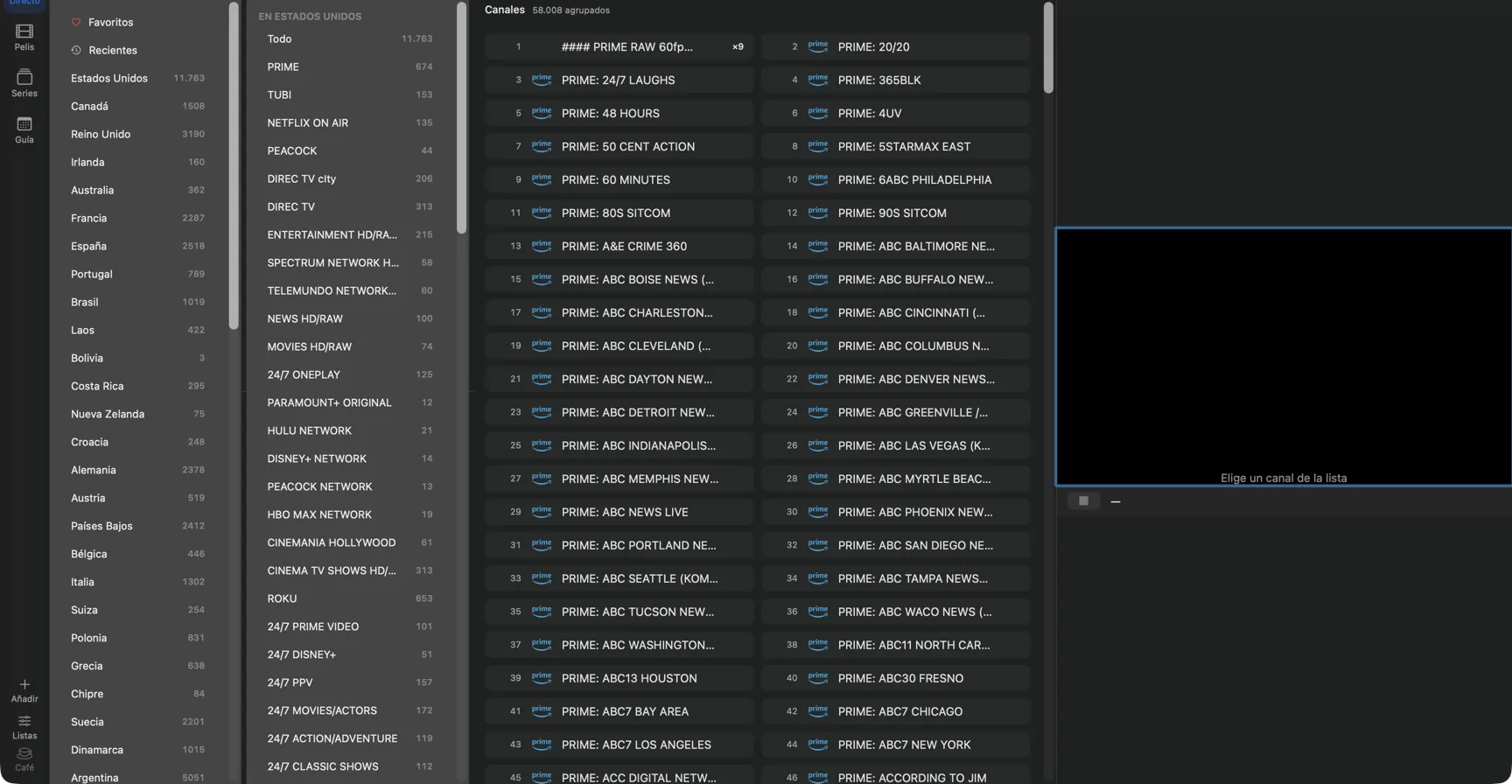
Live TV in three columns
Country, category and channels, side by side. The structure isn't invented: it's read from the one your playlist already carries — providers write it into the category name. On the two accounts it's been measured against it matches 93% and 76% of categories.
And when a playlist carries no country — Spanish DTT, for instance, at 0% — the column isn't shown at all, rather than showing an empty level.
Movies, series and the guide
Movies and series in a poster grid, with a detail sheet, seasons and “continue watching”.
The guide lives in its own window, as a time-by-channel grid, filled from your provider's XMLTV.
And
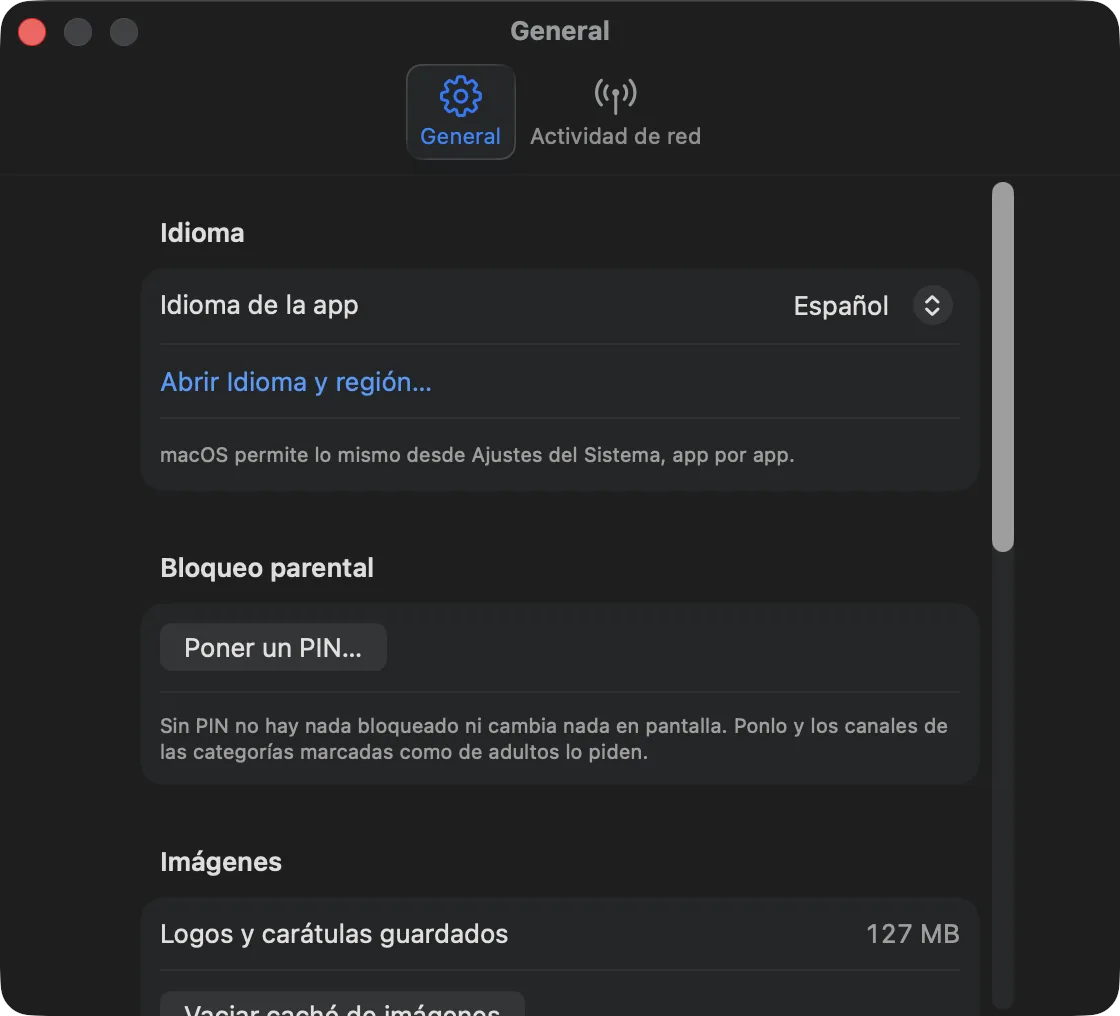
- Seven languages: Spanish, English, French, German, Italian, Portuguese and Turkish.
- PIN lock for categories marked as adult. The PIN goes to the Keychain, not to a file.
- Player embedded, full screen, or in an always-on-top floating window.
- libVLC engine: plays raw MPEG-TS, which is what most providers serve and what the macOS player won't play.
Yagi doesn't talk to any server of mine
No analytics, no telemetry, no automatic crash reports, no install identifier. No account, no sign-up.
Yagi makes exactly three kinds of outbound connection:
- Your IPTV sources, the ones you configured.
- The update check, to this same site.
- Channel logos, if you leave them on.
Nothing else, ever.
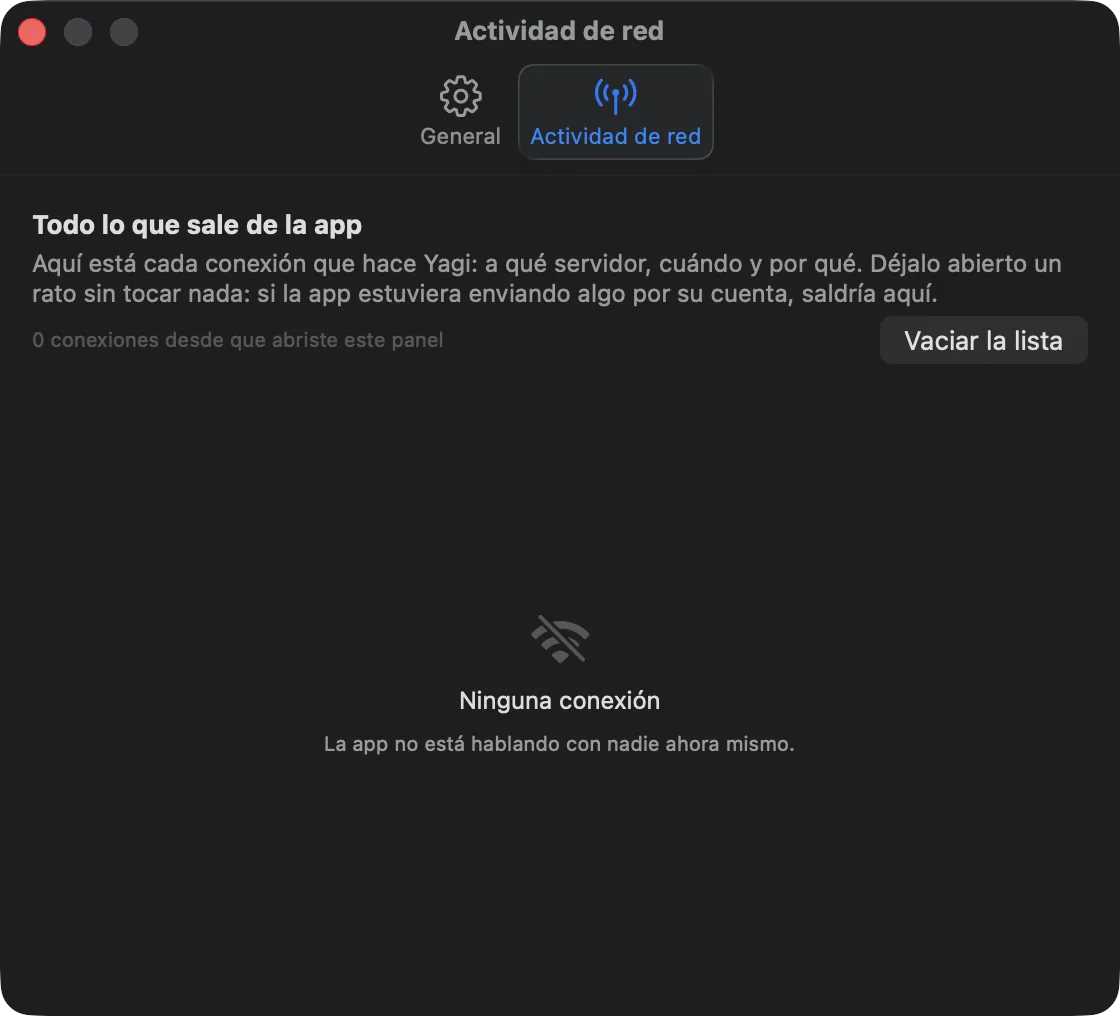
And I'm not asking you to take my word for it. The code is closed, so you can't audit the binary: that's why Yagi ships a network activity panel in Preferences that shows every connection it makes, live. If anything went somewhere that isn't one of those three, you'd see it there.
Your provider passwords go to the macOS Keychain. Never to the database, never to the logs — and in the logs, addresses are trimmed to scheme and host.
It's free, and it will stay free
Every feature, for everyone, always. No Pro version, no ads, no trial, no watermark, no limit on playlists or channels. Nothing behind a donation.
I make it in my spare time. KOFI-PENDIENTE
Help
- Opening Yagi for the first time — the macOS warning and the four steps.
- Where do I get a playlist? I can't help with that. Yagi plays the one you already have; getting one is between you and your provider.
- Write to me: CORREO-PENDIENTE